Hidden
Hidden
Hidden
Hidden
Hidden
Hidden
Hidden
SAVE DATA TO EXCEL, POST ACQUISITION, Saving Data After Digitization Is Complete
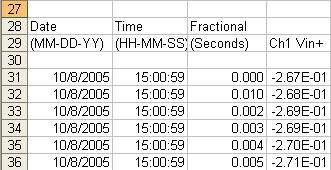
Saving Data To Excel While Digitizing instruNet supports the acquisition of data into instruNet World with Export to a spreadsheet, post-acquisition as described above; and also supports the digitizing of data directly into an Excel spreadsheet, in realtime while digitizing, via the Direct To Excel program. Convert Previously Recorded Binary Data to one large Text file, Post Acquisition If you previously recorded and saved binary data (i.e. ".ioW" binary files in an "iNetData" folder, one .ioW file per channel), and you want to convert this to a large text file with one channel per column, then please do the following steps: Press "Record" tab at bottom of window, press "Open" button to load in your previously recorded data, press "Setup" button, set "File Type" to "Text Merge", press "OK", and press "Save" button to save the viewed data into one large text file named "Excel Waveform Data.txt". You can then open this with Excel or a text editor (e.g. WordPad). When you save, make sure you remember where on your computer you placed this new data.
|
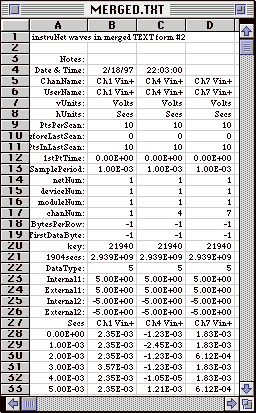 Exporting a file to a spreadsheet, post-acquisition, is done by first acquiring data into instruNet World software,
saving it to disk in the form of a text file, and then opening that text file with a spreadsheet program, as illustrated to the
right. To do this, one would:
Exporting a file to a spreadsheet, post-acquisition, is done by first acquiring data into instruNet World software,
saving it to disk in the form of a text file, and then opening that text file with a spreadsheet program, as illustrated to the
right. To do this, one would: